How to use App Hub
The whole hub in plain words. Five minutes from "what is this" to "I've got it". It's a small app on purpose.
The big picture
App Hub is one login for five apps: Dopamine Dealer (habits), Subscription Graveyard (cancelled subscriptions), Emergency Fund Aquarium (savings), Energy Battery (energy check-ins), and Side Hustle Garden (side income against bills).
You sign in here once. Click an app and it opens in a new tab with you already signed in. No second sign-up, no second password.
Pro works the same way. Buy it once here and all five apps switch on together. Your email is the key. The hub and the apps recognize you by it, so use the same email everywhere.

The whole hub is one screen. Plan card, five app cards, account settings below.
Your plan has a status
The badge on the plan card tells you which one you're in. It changes on its own when you buy, when a gift runs out, or when a subscription ends.
What each part of the hub is for
- Pixel, the compass critter at the top. Click for a line. Pixel's eyes go gold when you're Pro.
- Your plan card. Free or Pro, the end date if there is one, and the button that goes with it: Go Pro while you're Free, Manage Subscription once you've paid.
- The five app cards. Click to open. Each opens in a new tab. The badge reads Free, and + Pro once you have it.
- Free vs Pro. The side-by-side list of what Pro adds in each app, with the monthly or yearly toggle and the Go Pro button. It only shows while you're Free.
- Account. Your email, Change password, the Recap emails switch (Pro), and Delete my account under Danger zone.
- The ? at the top. A two-minute version of this page, plus Show me around, which runs the tour.
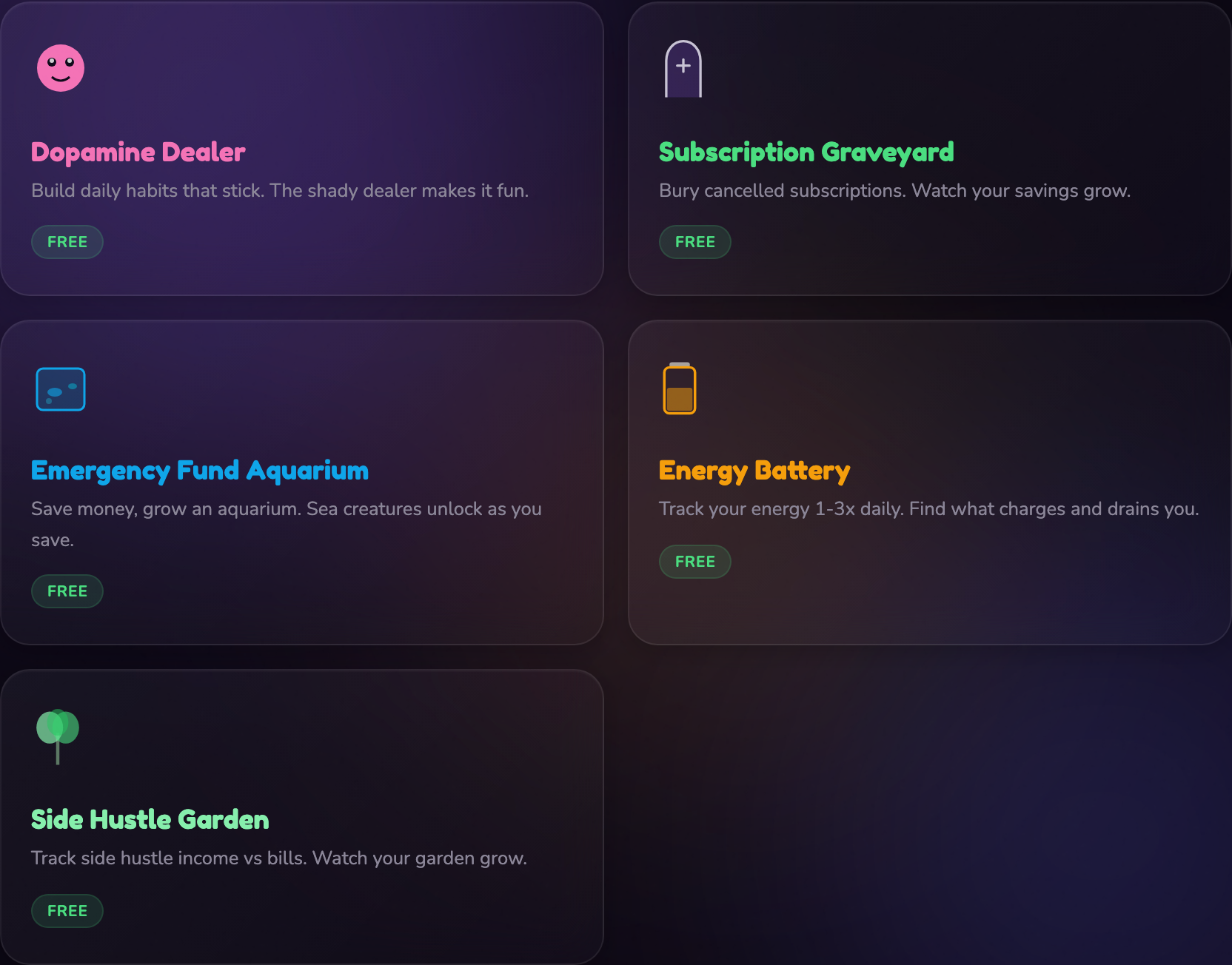
Each card is a link. New tab, already signed in.
A normal day
- Open the hub. Bookmark it, it's the one login that reaches everything.
- Click the app you're using today.
- Do your thing there. Most days that's the whole visit.
Each app remembers you once you've opened it, so plenty of days you won't touch the hub at all. The hub is for the first time into each app, for Pro, and for account stuff.
Your first ten minutes
- Sign up and enter the 6-digit code from your email. Thirty seconds. You land on the dashboard.
- Click the app that brought you here. It opens in a new tab, signed in, on its own welcome screen. Do its first step.
- Come back to the hub tab and open the next one. Same thing: new tab, signed in. Five tabs later you've met all of them.
Opening an app for the first time, step by step
This is the part people ask about, so here it is in full.
- Click an app card. It opens in a new tab.
- The app creates your account on the spot, using your hub email. It's already verified; there's no code to enter a second time.
- You're on that app's home screen. It has its own short onboarding. The hub tab stays open behind it.
- Later, you can go straight to the app's own address or come back through the hub. Either works.
- If an app ever asks you to log in (a new phone, a cleared browser), open it from the hub again, or use Forgot password inside that app with your hub email to set a password just for it.
Going Pro, step by step (Pro)
- On the plan card, click Go Pro. It scrolls you to the Free vs Pro list so you can see what you'd get.
- Pick Monthly ($7) or Annual ($59, about 30% less than paying monthly).
- Click Go Pro. Checkout runs on Stripe in a new page. Your card details go to Stripe, never to the hub.
- You come back to the hub. The badge reads Pro with your renewal date, and every app card shows + Pro.
- Open each app from the hub, or log into it with the same email. Pro is on.
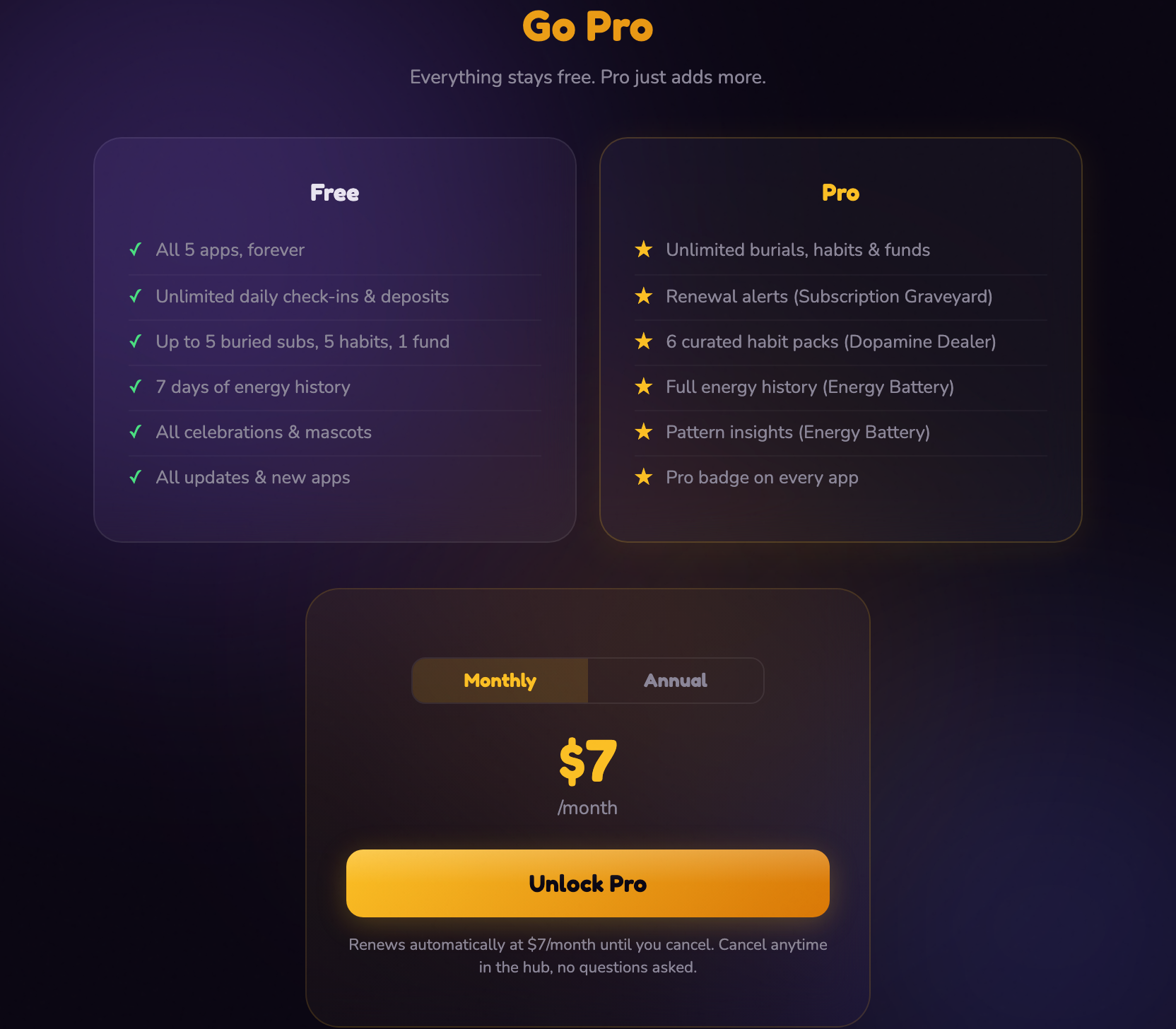
Free on the left, Pro on the right. The toggle switches the price and the renewal note under the button.
Once you're Pro, the same card grows a Manage Subscription button. That opens your Stripe portal, where you can switch monthly and yearly, change your card, or cancel.
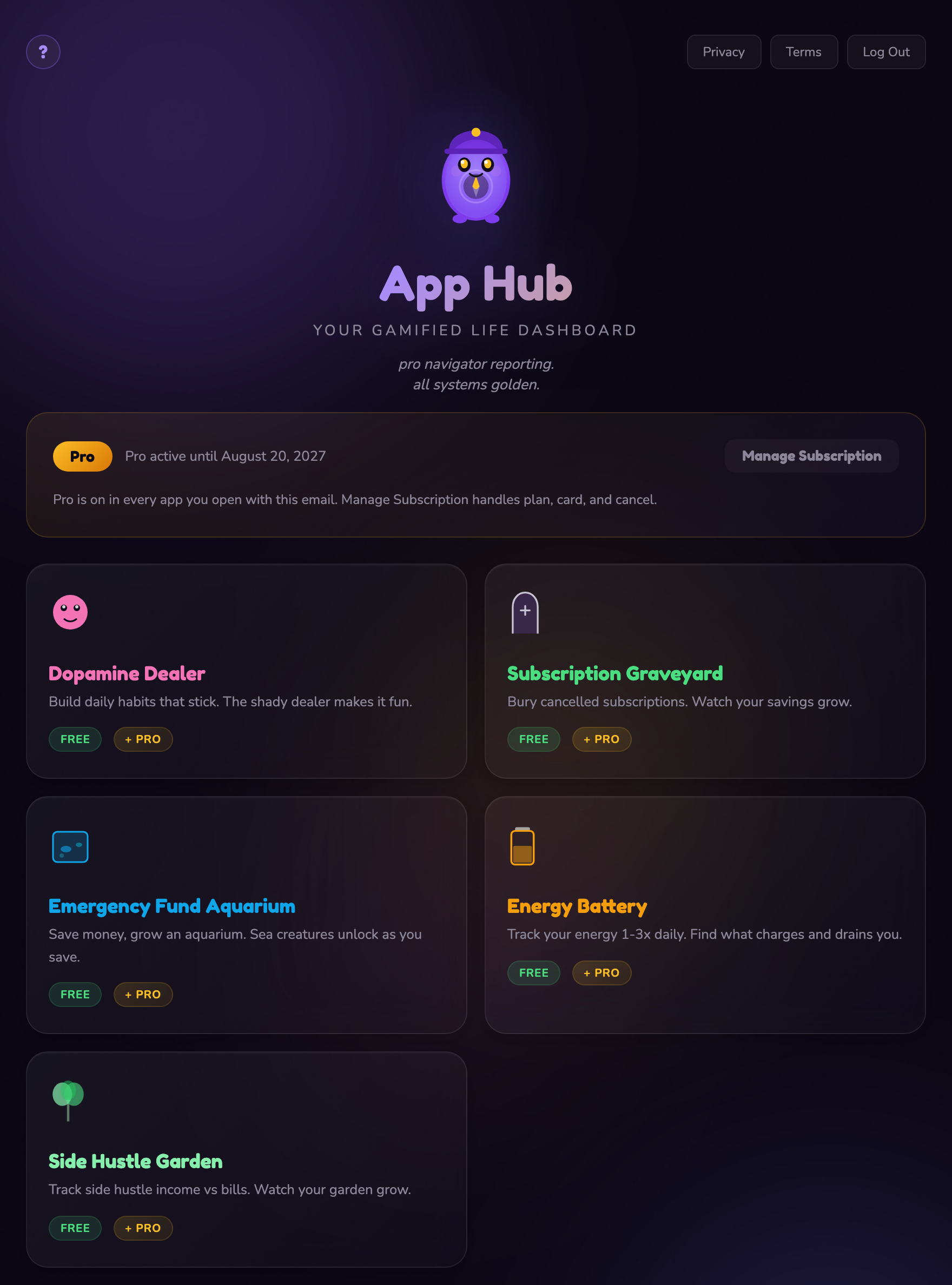
Same hub, Pro on. The comparison section goes away because you don't need it any more.
What Free covers, and what Pro adds
Free is the whole set of apps with a few caps. Pro removes the caps and adds a couple of extras per app. Nothing you can do on Free gets taken away when you go Pro, and nothing gets deleted if Pro ends.
| App | Free | Pro adds |
|---|---|---|
| Dopamine Dealer | 5 habits, daily check-ins, streaks, every celebration | Unlimited habits, 6 curated habit packs |
| Subscription Graveyard | 5 buried subscriptions and the running savings total | Unlimited burials, a renewal watchlist with warning emails |
| Emergency Fund Aquarium | 1 savings fund, unlimited deposits, every sea creature | Unlimited savings goals |
| Energy Battery | Unlimited check-ins, the last 7 days of history | Full history, pattern insights |
| Side Hustle Garden | Income and bills tracking, the whole garden | 6-month cash flow forecast, CSV export of bills and payments |
Across all five, Pro also adds a Pro badge and recap emails: weekly for Energy Battery and Dopamine Dealer, monthly for the other three. A period where nothing happened gets skipped rather than sent empty. You can switch recaps off under Account.
Pro is $7 a month or $59 a year. It renews until you cancel. There are no refunds, and cancelling keeps Pro on until the end of the period you already paid for.
Cancelling and deleting, and what comes back
Cancelling Pro
Plan card, Manage Subscription, then cancel in the Stripe portal. Pro stays on until your current month or year runs out, then the badge flips to Free. Everything you tracked in every app stays where it is. Come back to Pro any time; same account, same data.
Deleting your hub account
Account, open Danger zone, click Delete my account, type your password. This one is permanent and there's no undo. Before it deletes anything it cancels any Pro subscription on the spot, so you won't be billed again.
What it does not touch: your data inside the five apps. Each app keeps its own account and its own data, and each one has its own delete button in its settings if you want that gone too.
Changing your password
Account, Change next to Password. That changes your hub login only. Any password you've set inside an app stays as it was.
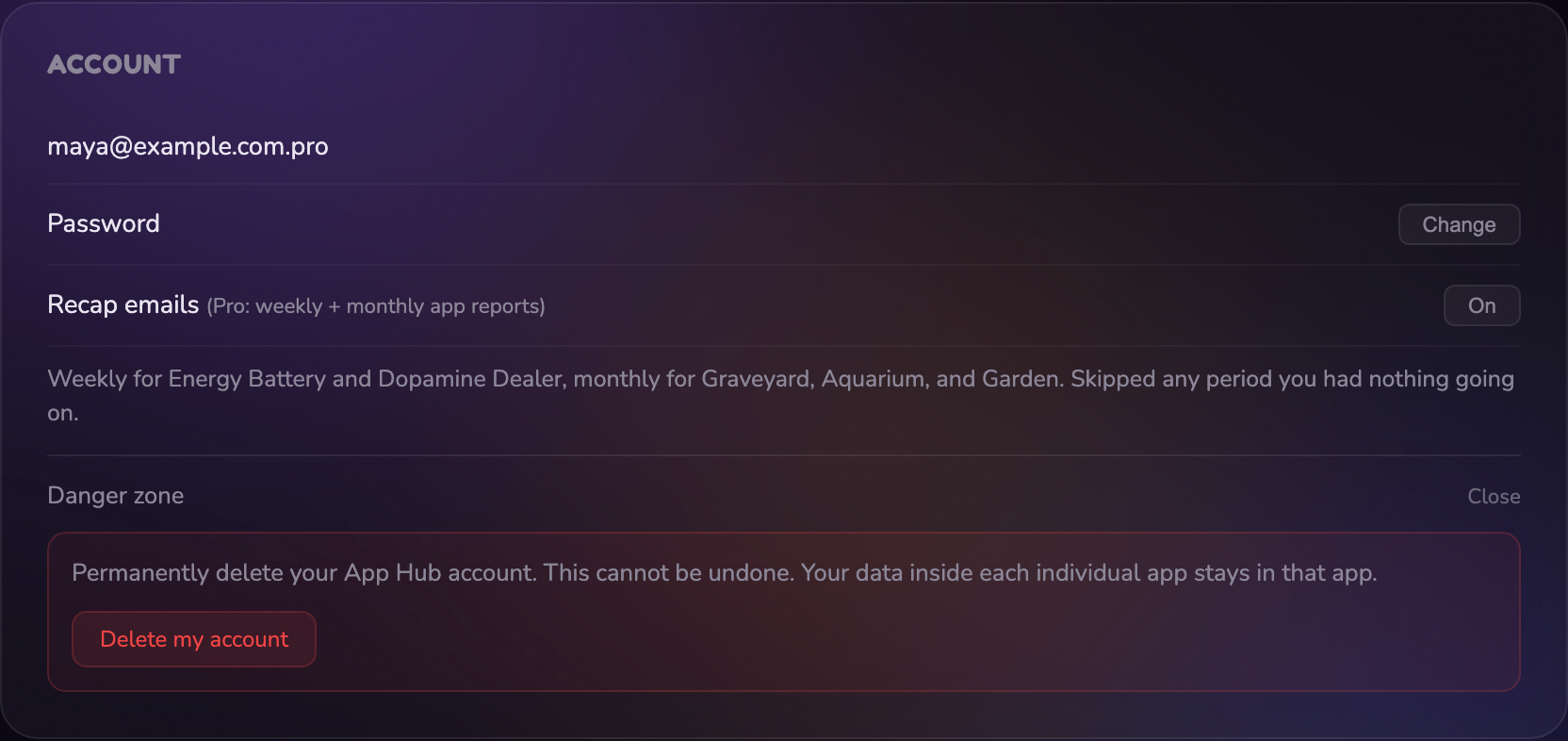
Danger zone is folded up by default. Nothing in it runs without your password.
Quick answers
- Do I need a separate password for each app?
- No. Open an app from the hub and you're in. You only ever set an app password if you want one, through Forgot password inside that app.
- I went Pro but an app still says Free.
- Open that app from the hub once more, or log out of the app and back in with the same email you use here. If the emails don't match, that's the whole problem: Pro follows the email.
- Can I use a different email in one of the apps?
- You can, but the hub won't know it's you, so Pro won't follow it there. Keep one email across all six.
- What's Gifted Pro?
- Pro for a set number of months with no card on file. Testers and affiliates get it. It shows its end date on the plan card, nothing renews, and it turns back into Free on that day.
- How do I cancel?
- Plan card, Manage Subscription, cancel in the Stripe portal. Pro stays on until the period you paid for ends.
- Can I see the app tour again?
- Yes. Click the ? at the top of the hub, then Show me around.
- Where do I ask for help?
- The Feedback button in the bottom corner of the hub comes straight to me, Jen. I read every one. Email works too: hello@jenbuiltit.com.
Free account, all five apps, no card.